
这是本文档旧的修订版!
首页 / SHARP <html> <script type=“text/javascript”>
  var DetailJson = {
      mainTitle: "AQUOS Xx mini",
      subTitle: "303SH",
      operators: {
          "SoftBank版 303SH": {
              mainImg: "/wiki/lib/exe/fetch.php/sharp/aquos_xx_mini/main.jpg",
              infobox: {
                  "处理器": "骁龙800(MSM8974)",
                  "内存": "2GiB",
                  "储存": "16GB",
                  "物理量": "约重117克、尺寸124*63*9.9mm",
                  "电池": "2120毫安时(mAh)",
                  "系统": "Android 4.2",
                  "屏尺寸": "约4.5寸(inch)",
                  "解像度": "1080P(1920×1080) 60Hz",
                  "屏技术": "IGZO材质",
                  "SD卡": "支持 最大128GB",
                  "后置": "约1310万像素",
                  "前置": "约120万像素",
                  "防护": "IPX5、IPX7",
                  "档期": "2014年春 JP发行",
                  "网络": "中国国内情报:二~四代通信(2G~4G)x1",
                  "其他": "无指纹、面板左下角RGB呼吸灯、单扬声器",
              },
              colors: {
                  "曜黑": "/wiki/lib/exe/fetch.php/sharp/aquos_xx_mini/303sh_1.png",
                  "纯白": "/wiki/lib/exe/fetch.php/sharp/aquos_xx_mini/303sh_2.png",
                  "亮红": "/wiki/lib/exe/fetch.php/sharp/aquos_xx_mini/303sh_3.png",
                  "海蓝": "/wiki/lib/exe/fetch.php/sharp/aquos_xx_mini/303sh_4.png",
                  "翠青": "/wiki/lib/exe/fetch.php/sharp/aquos_xx_mini/303sh_5.png",
                  "迷金": "/wiki/lib/exe/fetch.php/sharp/aquos_xx_mini/303sh_6.png",
                  "粉红": "/wiki/lib/exe/fetch.php/sharp/aquos_xx_mini/303sh_7.png",
                  "玫红": "/wiki/lib/exe/fetch.php/sharp/aquos_xx_mini/303sh_8.png",
              }
          },
      }
  }
</script> <script type=“text/javascript” src=“/wiki/MatceInfoBox/script.js”></script>
</html>
AQUOS Xx3(Aquos Double X3)是由SoftBank的第3.9代移动通信系统Sharp开发的混合4G LTE(SoftBank 4G / SoftBank 4G LTE)终端。SoftBank智能手机系列之一。该操作系统最初运行Android 6.0。从2018年6月4日开始通过软件更新和Android 8.0更新到Android 7.0。型号是506SH。
它是AQUOS Xx2的后继机型,是自公司进入香港市场以来的第一款智能手机。常规的AQUOS系列具有三面窄框架结构。口号是“ 具有高图像质量,耐力和健康支持AI的舒适AQUOS ”。
历史
| 2016年 |
- 5月11日 - 软银从官方公布
- 6月7日 - 软银宣布发布日期
- 6月10日 - 推出
视频
<html>
<iframe id=“PVplayer” src=“” scrolling=“no” border=“0” frameborder=“no” framespacing=“0” allowfullscreen=“true” width=“345px” height=“193px” style=“background: grey”>
</iframe>
      <style>
      	.PVTabBox {
      		height: max-content;
      		display: flex;
      		background: whitesmoke;
      		margin-top: -20px;
                      width: 345px;
      	}
.PVtab {
      		width: 100%;
      		display: flex;
      		padding: 10px 0;
      		justify-content: center;
      		font-size: 14px;
      		outline: none;/*不显示轮廓线*/
      		cursor: pointer;/*鼠标移入按钮范围时出现手势*/
      		background: #f5f5f5;
      		color:#656565;
      		border-style: none;
      		border-radius: 0;
      	}
</style>
<!—————–视频按钮Tab列表 开始—————–>
            <button class="PVtab"
      onclick="TabOnClick(
      '//player.bilibili.com/player.html?aid=87653824&bvid=BV1y7411t7GL&cid=149760550&page=1'
      )"> <!-- ↑上方''内填入要设置的Bilibili视频<iframe>的src链接-->
  		▶电视广告</button>
<button class=“PVtab”
      onclick="TabOnClick(
      '//player.bilibili.com/player.html?aid=9088305&bvid=BV1ix411C79p&cid=15014696&page=1'
      )"> <!-- ↑上方' '内填入要设置的Bilibili视频<iframe>的src链接-->
  		▶展台实拍</button>
<!–↑视频超过三个?看到上面三个button按钮是不是长得很像,再复制一段<button>到</button>的代码于本列表末,相当于新建按钮
↑视频不足三个?关闭多余的button按钮,只需要在需要关闭的<button>到</button>之外用来包住它即可(注释掉它),
	示例:       /*<button>  代码内容  </button>*/
	-->
<!—————–视频按钮Tab列表 结束—————–>
<script type=“text/javascript”>
var PVplayer = document.getElementById("PVplayer")
var PVtab = document.getElementsByClassName("PVtab")
PVtab[0].onclick();
//↑默认选择第一个tab代表的视频进行播放,这句相当于模拟用户点击了第一个视频
ChangeWorkingTabColor();
function ChangeWorkingTabColor() {
//↑负责设定tab选中时的样式的function
	 for(var i = 0; i < PVtab.length; i++){
	 	ThisAID = PVtab[i].getAttribute("onclick");
	 	ThisAID = ThisAID.match(/aid=(\S*)&bvid/)[1];
	 	//↑在onclick功能(此时是字符串形式)里找视频aid码,保存给ThisAID
 		PVplayerAID = PVplayer.src;
		PVplayerAID = PVplayerAID.match(/aid=(\S*)&bvid/)[1];
		//↑在iframe播放模块的src值里(此时是字符串形式)里找视频aid码,保存给PVplayerAID
		PVtab[i].onmouseover = function() { //tab鼠标悬停效果
 			this.style.background="#7fcac3";
      		this.style.color="#fff";
 		}
 		PVtab[i].onmouseout = function() { //tab鼠标移出效果
 			this.style.background="#f5f5f5";
      		this.style.color="#656565";
 		}
 		if(ThisAID == PVplayerAID){
 		//↑判断当前for循环内,PVtab[i]代表的视频,是否与iframe播放模块所播放的一致,如果一致,就让tab突出显示(通过加深它的颜色来突出此时播放的视频是属于哪一个tab的)
 			PVtab[i].style.backgroundColor='#009688';
			PVtab[i].style.color = '#fff';
			PVtab[i].onmouseover = null;
			PVtab[i].onmouseout = null;
 		}
 		else{ //不一致则恢复tab常规样式(未选中时的样式)
 			PVtab[i].style.backgroundColor='#f5f5f5';
			PVtab[i].style.color = '#656565';
 		}
 	}
 }
function TabOnClick(vSRC){
		vSRC = deBugSRC(vSRC);
		setPlayerSRC(vSRC);
		ChangeWorkingTabColor();
}
function deBugSRC(dbSRC){
	if(dbSRC.indexOf("https:") == -1){
	//-1代表该src链开头缺少https:
		dbSRC = "https:" + dbSRC
	}
	//alert(dbSRC);
	return dbSRC;
}
function setPlayerSRC(vSRC){
		//alert(vSRC)
		var PVplayer = document.getElementById("PVplayer")
		if(PVplayer.src != vSRC){
			PVplayer.src = vSRC;
		}
}
</script>
</html>
相册


SHV34
10 images
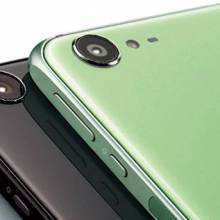


SH-04H
11 images
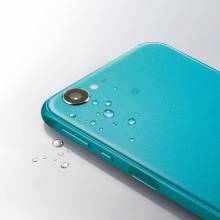


506SH
2 images


